Finance and Plaid
Connect bank data, sync transactions, review cash flow, manage categories, and protect finance pages with MFA.
Updated July 2, 2026
Finance combines bank transactions, categorization rules, cash flow, P&L, monthly reporting, and Square deposit tracking. Plaid powers bank connectivity when finance tracking is enabled for a store.
Demo frames
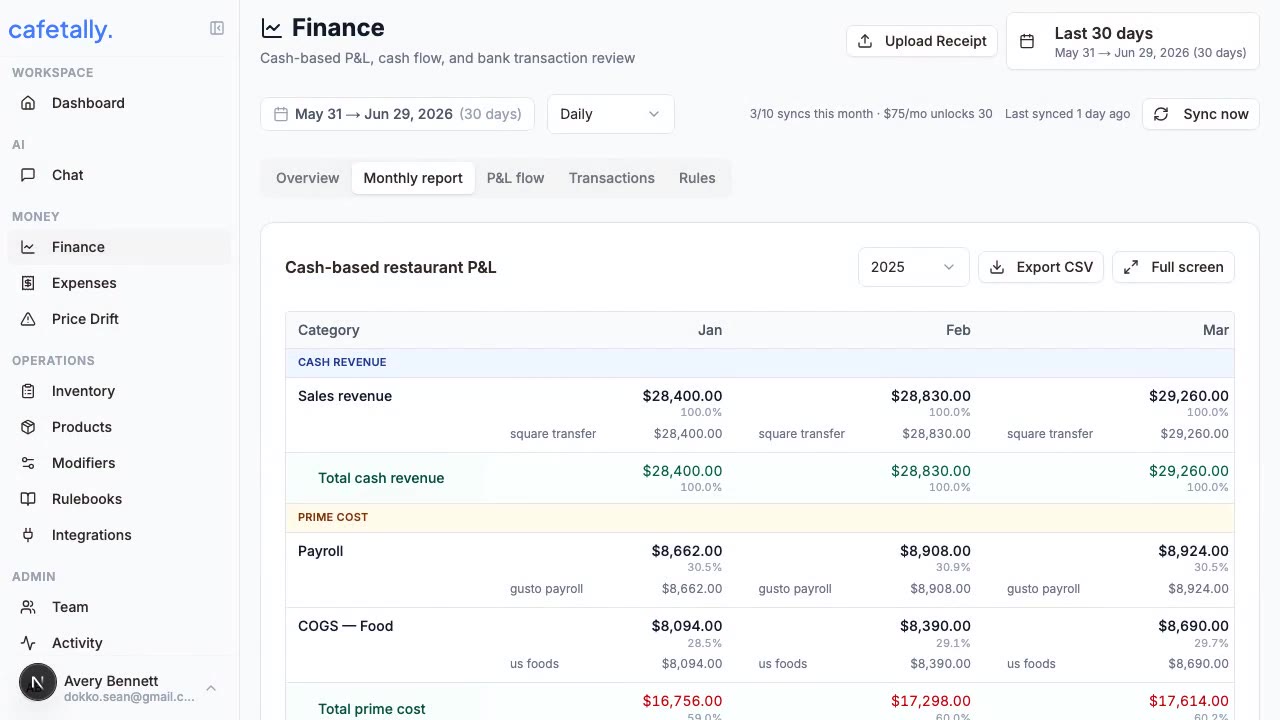
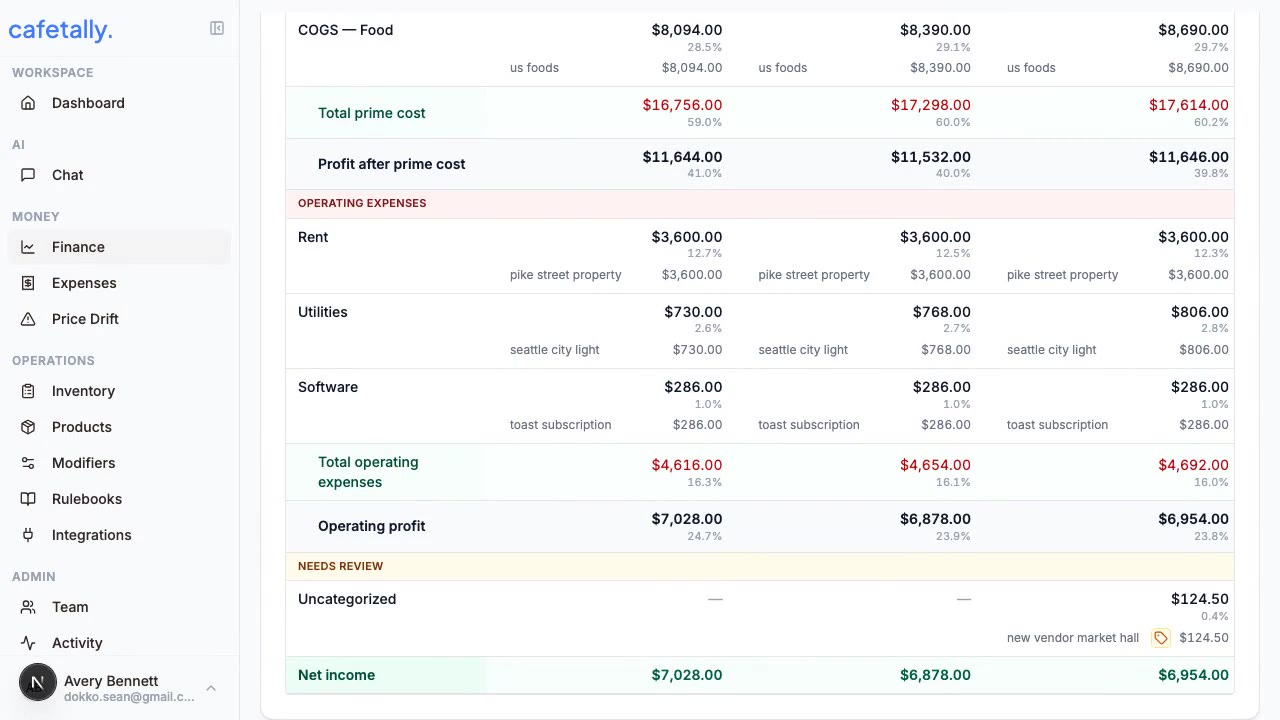
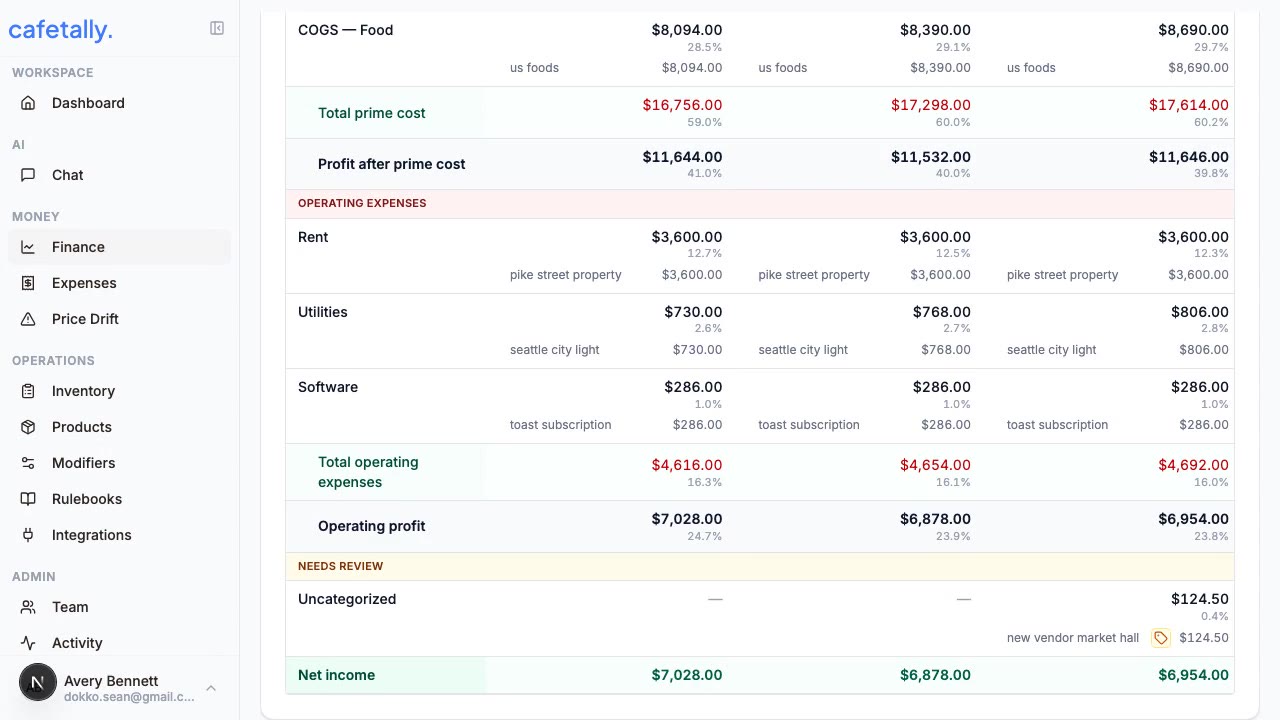
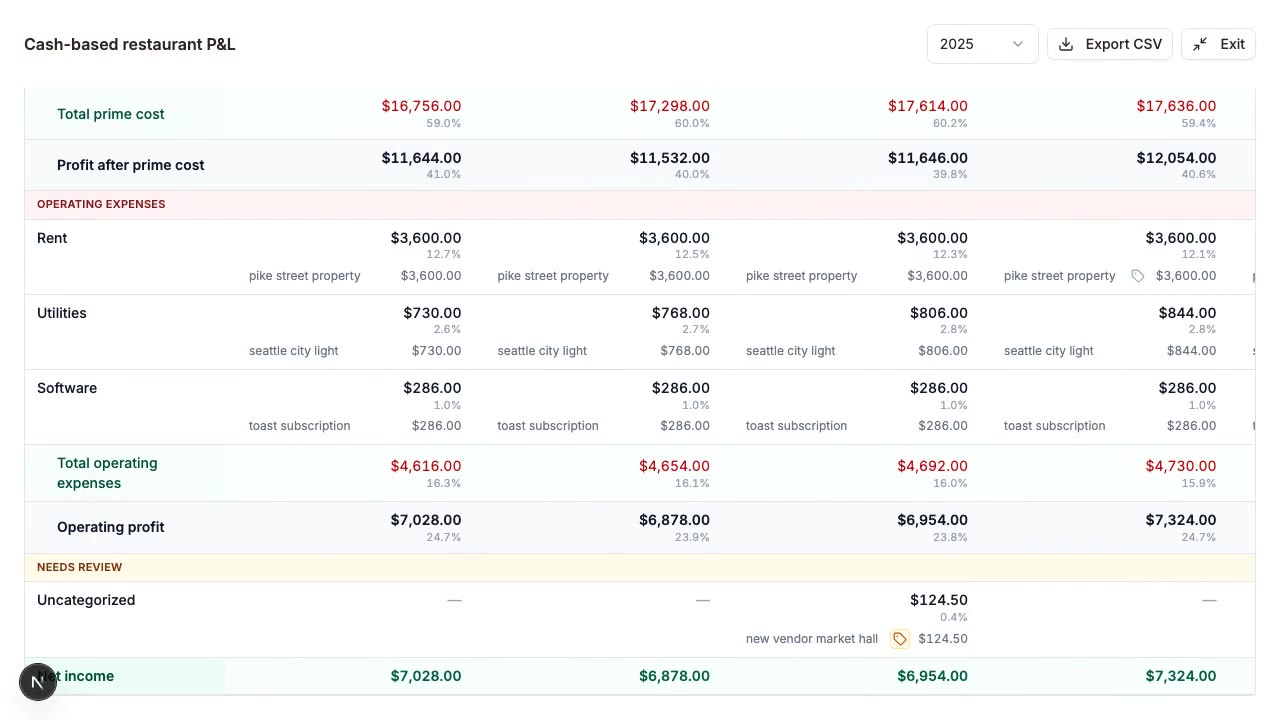
Connect bank data
- Open
Dashboard > Financefor the store. - Start the Plaid connection flow.
- Select the business bank account or accounts that should feed reporting.
- Confirm the connection status after Plaid returns to CafeTally.
- Run an initial sync if the page does not show recent transactions.
Security
Finance pages can require a valid MFA session. If MFA is requested, complete the challenge before viewing sensitive financial data. Disconnect Plaid from the integration settings if a store should no longer sync bank data.
Reports
Cash flow shows movement across selected periods. P&L groups income, COGS, labor, operating expenses, transfers, and other categories into a monthly view. Monthly reports help operators review whether the business is improving, flat, or drifting in the wrong direction.
Categories and rules
Rules help classify repeated vendors and transaction patterns. Use manual category overrides when a transaction is correct for this month but should not create a broad rule. Audit views are useful when finance numbers look surprising because they show how a transaction was classified.
Sync expectations
Plaid data can lag depending on institution behavior and account freshness. Square deposits may need matching logic because payment processor deposits often combine multiple sales days, fees, and adjustments. If numbers look off, compare the date range, account coverage, category rules, and transfer detection before assuming revenue or expense data is missing.